Happy Days in Random Chatter 10
-
TheBlackSheep

- The Best
- Posts: 819
- Joined: Thu Nov 13, 2008 12:42 pm
- Location: Salt Lake County
Re: Happy Days in Random Chatter 10
Never EVER buy a car, officially move in with your boyfriend, start a new job, and start grad school in the space of three days. NEVER, you guys.

Re: Happy Days in Random Chatter 10
yes, they did!vorpal blade wrote:Does this mean Genuine Article and her baby came through the C-section okay?Giovanni Schwartz wrote:Congrats on making a baby, GA!
/notcreepingbutreallykindofcreepingabitbecausekatyalikedyourhusband'sbabypostsoitpoppedupinmyfeed.

-
vorpal blade

- Posts: 1750
- Joined: Tue Jul 01, 2008 5:08 pm
- Location: New Jersey
Re: Happy Days in Random Chatter 10
Great! Thanks, Whistler.

Re: Happy Days in Random Chatter 10
But is it one? I know nothing about this show except that Craig Ferguson was obsessed with it before all you people were out of high school.Dead Cat wrote:It definitely looks like a fake Doctor Who shirt--a cooky-looking man in a suit, a TARDIS-shaped thing in the middle, a guy riding a dinosaur, not to mention the whole "explore space and time" text it's got going for it... any casual observer could easily be mistaken.
-
UffishThought
- Posts: 758
- Joined: Tue Mar 27, 2007 8:19 pm
Re: Happy Days in Random Chatter 10
I would say it's not technically one, but it may have been heavily inspired by Dr Who, or meant to remind you of it.
Re: Happy Days in Random Chatter 10
Thanks!UffishThought wrote:I would say it's not technically one, but it may have been heavily inspired by Dr Who, or meant to remind you of it.
-
Genuine Article
- Board Writer
- Posts: 411
- Joined: Wed Jun 08, 2011 12:54 pm
Re: Happy Days in Random Chatter 10
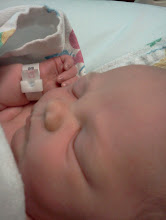
Everything went really well and we're doing good, so thanks for all the prayers and well wishes you guys.Whistler wrote:yes, they did!vorpal blade wrote:Does this mean Genuine Article and her baby came through the C-section okay?Giovanni Schwartz wrote:Congrats on making a baby, GA!
/notcreepingbutreallykindofcreepingabitbecausekatyalikedyourhusband'sbabypostsoitpoppedupinmyfeed.

-
Giovanni Schwartz

- Posts: 3396
- Joined: Wed Mar 19, 2008 9:41 pm
Re: Happy Days in Random Chatter 10
Bahahaha love the outfit! Congrats, GA!
-
vorpal blade
- Posts: 1750
- Joined: Tue Jul 01, 2008 5:08 pm
- Location: New Jersey
Re: Happy Days in Random Chatter 10
Aaawww. Cute.
-
UffishThought
- Posts: 758
- Joined: Tue Mar 27, 2007 8:19 pm
Re: Happy Days in Random Chatter 10
I think she's a tease. "You see these excellent cheeks? I bet you want to touch them. Well you can't! They're ALLLLLLLLL mine!"
-
Giovanni Schwartz
- Posts: 3396
- Joined: Wed Mar 19, 2008 9:41 pm
Re: Happy Days in Random Chatter 10
Okay, so my Finance class has turned in to Using Excel for Complete Nimrods. I mean, I thought "Computer Foundations" or whatever that class was was bad, but this is just a joke. She taught me how to resize a column. For 6 MINUTES OF THE 48 MINUTE VIDEO.
Re: Happy Days in Random Chatter 10
How do you even spend 6 minutes resizing columns? I'm sorry. That sounds painful.Giovanni Schwartz wrote:Okay, so my Finance class has turned in to Using Excel for Complete Nimrods. I mean, I thought "Computer Foundations" or whatever that class was was bad, but this is just a joke. She taught me how to resize a column. For 6 MINUTES OF THE 48 MINUTE VIDEO.
-
Giovanni Schwartz
- Posts: 3396
- Joined: Wed Mar 19, 2008 9:41 pm
Re: Happy Days in Random Chatter 10
And ohmygosh guys--THAT'S how you rename a worksheet!
-
Giovanni Schwartz
- Posts: 3396
- Joined: Wed Mar 19, 2008 9:41 pm
Re: Happy Days in Random Chatter 10
"To name a worksheet, you move to the tab at the bottom, double click on the sheet tab, and then type what you would like to appear in the sheet tab... In order for the name to stay, we have to press Enter."
OH MY GOSH SHOOT ME.
"Sheet tabs can also be color-coded. To select a tab color, right click your tab, select "Color", and then pick a color of your choice."
"Many times in business, when working with worksheets, we use them in Excel. But sometimes we have to print them, or publish them for financial reporting purposes. When printing a document, the grid lines are not displayed. So sometimes we want to see what our worksheet will look like without the gridlines. In order to do this, we need to turn off the grid lines in Excel. Turning off the gridlines is just a click of a button. We're going to switch ribbons this time (OH MY GOSH GUYS I CAN'T HANDLE IT HOW DO YOU SWITCH A RIBBON?)."
#cantmakethisstuffup
OH MY GOSH SHOOT ME.
"Sheet tabs can also be color-coded. To select a tab color, right click your tab, select "Color", and then pick a color of your choice."
"Many times in business, when working with worksheets, we use them in Excel. But sometimes we have to print them, or publish them for financial reporting purposes. When printing a document, the grid lines are not displayed. So sometimes we want to see what our worksheet will look like without the gridlines. In order to do this, we need to turn off the grid lines in Excel. Turning off the gridlines is just a click of a button. We're going to switch ribbons this time (OH MY GOSH GUYS I CAN'T HANDLE IT HOW DO YOU SWITCH A RIBBON?)."
#cantmakethisstuffup

Re: Happy Days in Random Chatter 10
Well, back from a mini-vacation with my family, and suddenly I have a ton of stuff that has to get done. This is why I don't like going away.
Re: Happy Days in Random Chatter 10
Tech writers sometimes have to be super explicit, or else someone could very well get lost. And e-learnings are always painful, please. That's why online classes don't hold a lot of appeal to me: can't really change the speed.Giovanni Schwartz wrote:"To name a worksheet, you move to the tab at the bottom, double click on the sheet tab, and then type what you would like to appear in the sheet tab... In order for the name to stay, we have to press Enter."
OH MY GOSH SHOOT ME.
"Sheet tabs can also be color-coded. To select a tab color, right click your tab, select "Color", and then pick a color of your choice."
"Many times in business, when working with worksheets, we use them in Excel. But sometimes we have to print them, or publish them for financial reporting purposes. When printing a document, the grid lines are not displayed. So sometimes we want to see what our worksheet will look like without the gridlines. In order to do this, we need to turn off the grid lines in Excel. Turning off the gridlines is just a click of a button. We're going to switch ribbons this time (OH MY GOSH GUYS I CAN'T HANDLE IT HOW DO YOU SWITCH A RIBBON?)."
#cantmakethisstuffup
Re: Happy Days in Random Chatter 10
I don't know, I think my Anatomy videos go too fast for me.
-
thatonemom
- Posts: 283
- Joined: Fri Feb 17, 2012 12:34 pm
Re: Happy Days in Random Chatter 10
Do they still do the videos for Accounting? I always liked that you could speed those up. Also, my old roommate was on the cover of them for a while. You could see right up her nose.
I took my little guys to the dinosaur museum west of the stadium today. I never made it there as a student, but it's an interesting little place. And I got to see a bunch of new freshman all full of luggage and high hopes. It was very endearing.
I took my little guys to the dinosaur museum west of the stadium today. I never made it there as a student, but it's an interesting little place. And I got to see a bunch of new freshman all full of luggage and high hopes. It was very endearing.
-
Giovanni Schwartz
- Posts: 3396
- Joined: Wed Mar 19, 2008 9:41 pm
Re: Happy Days in Random Chatter 10
Hahaha I don't have any idea about BYU's courses. But I know that for mine, there is no way to speed up the stupid video. I hated every minute of it. (It also told me "Plan at least three hours for the assignment!" After I watched (most of) the ~43 minute video, I did the assignment portion in 5 minutes flat. That's what I get for working with Excel all day, every day.)
Re: Happy Days in Random Chatter 10
Ugh, that sounds awful. I was supposed to do something like that for the new student database system but a coworker showed me that we could just skip to the end of the videos... Wish you could do the same.